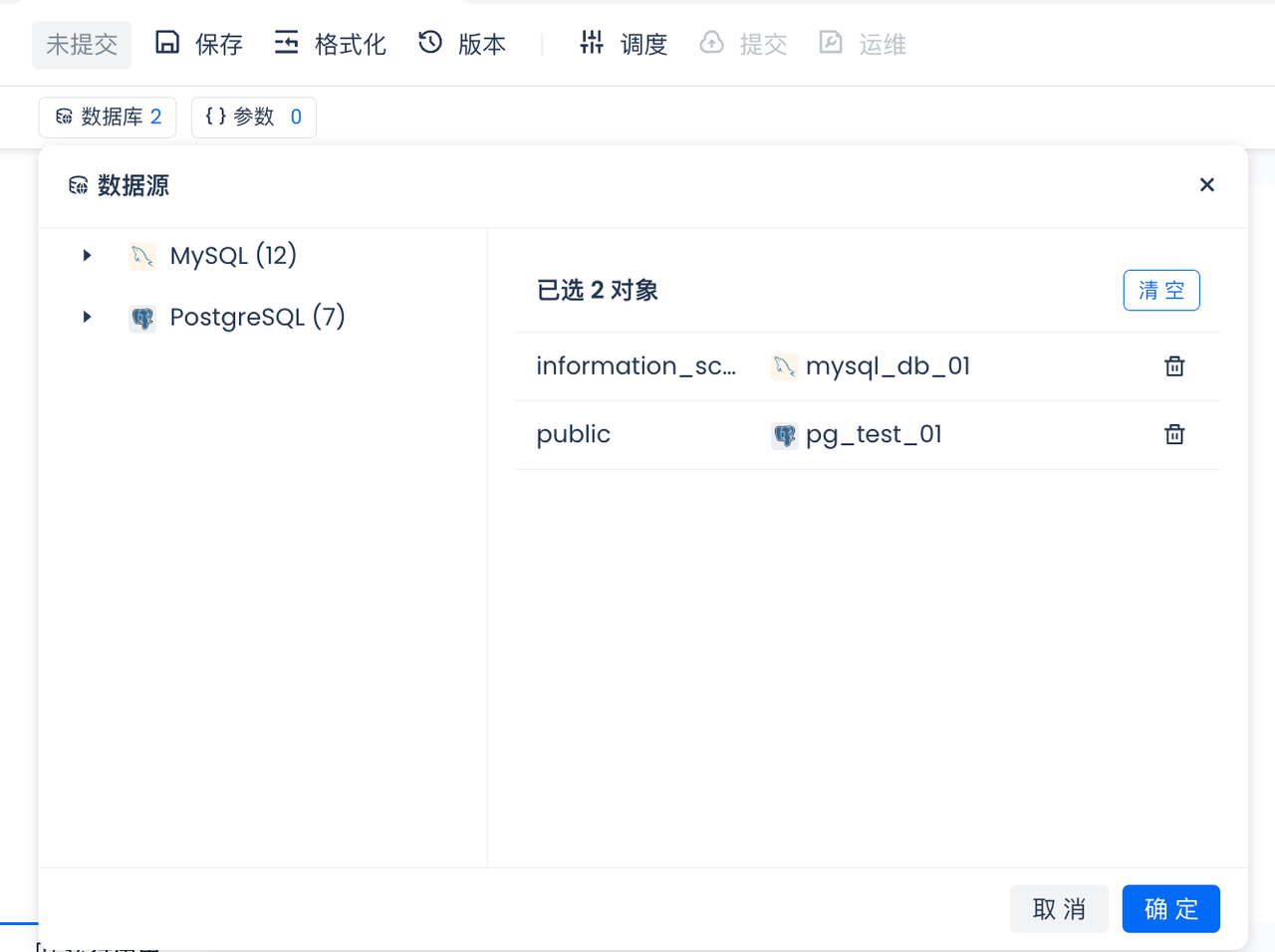
from sqlalchemy import text
from clickzetta_dbutils import get_active_engine
pg_engine = get_active_engine("qiliang_test_pg",schema="sample",options={"search_path":"public"})
连接并执行查询:
with pg_engine.connect() as pgconnection:
result = pgconnection.execute(text("SELECT * FROM accounts limit 10;"))
for row in result:
print(row)
from sqlalchemy import text
import pandas as pd
from clickzetta_dbutils import get_active_lakehouse_engine
engine = get_active_lakehouse_engine(vcluster="DEFAULT",schema="brazilianecommerce")
连接并执行查询:
with engine.connect() as connection:
result = connection.execute(text("SELECT * FROM olist_customers limit 10;"))
df = pd.DataFrame(result.fetchall(), columns=result.keys())
print(df.head(10))
from sqlalchemy import text
from clickzetta_dbutils import get_active_engine
使用默认schema:
engine = get_active_engine("postgres_source_name")
with engine.connect() as conn:
results = conn.execute(text("SELECT * FROM pg_tables WHERE schemaname = 'public';"))
for row in results:
print(row)
manager = DatabaseConnectionManager("mysql_source_name")
manager.use_schema("test_schema")
engine = manager.build()
with engine.connect() as conn:
result = conn.execute(text("select * from test_table limit 1;"))
Python节点中使用Lakehouse数据源示例
from sqlalchemy import text
from clickzetta_dbutils import get_active_engine
from clickzetta_dbutils import get_active_lakehouse_engine
engine = get_active_lakehouse_engine(vcluster="DEFAULT",
workspace="test-workspace")
with engine.connect() as conn:
results = conn.execute(text("select 1"))
for row in results:
print(row)
Shell节点中使用数据源示例
在Shell节点中,可以通过创建Python脚本文件的方式使用数据源:
cat >> /tmp/db_utils_demo.py << EOF
from sqlalchemy import text
from clickzetta_dbutils import get_active_engine
engine = get_active_engine("postgres_source_name")
with engine.connect() as conn:
results = conn.execute(text("SELECT * FROM test_table;"))
for row in results:
print(row)
EOF
python /tmp/db_utils_demo.py